
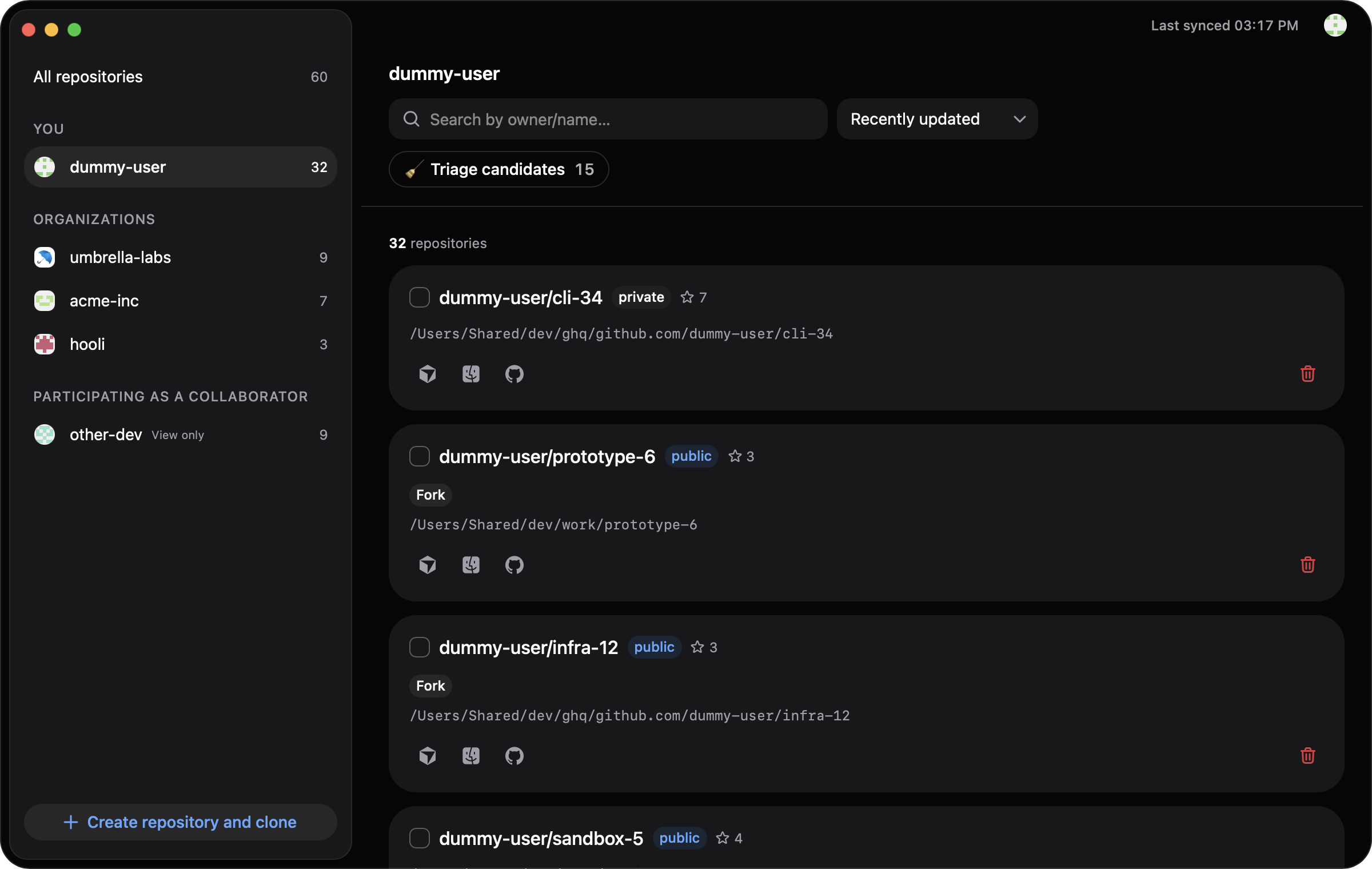
Unwanted repositories,
remote and local.
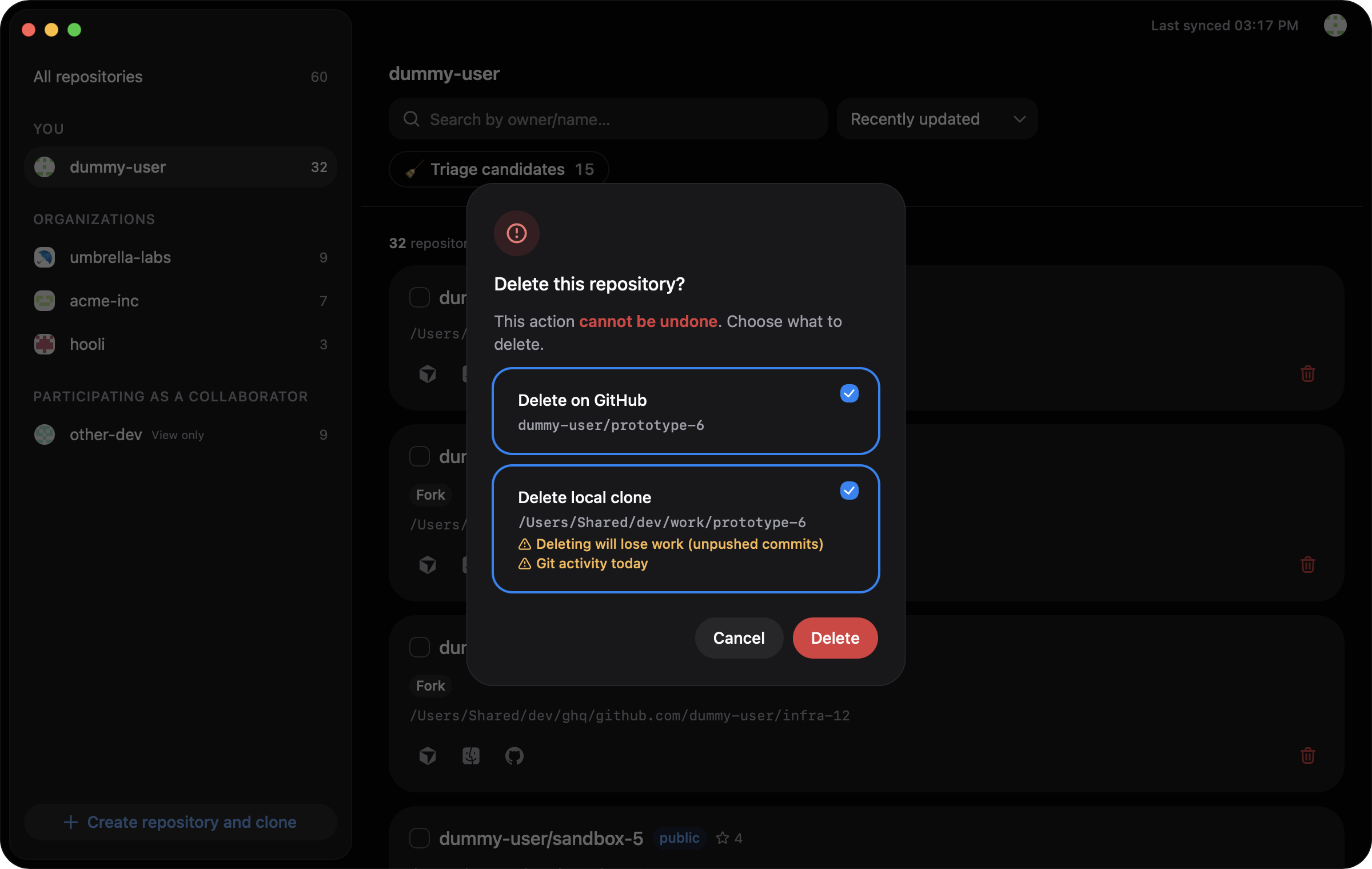
Stale, archived, forked. Candidates surface from GitHub-side facts, and you choose what to delete: the repository on GitHub, the clone on your disk, or both.
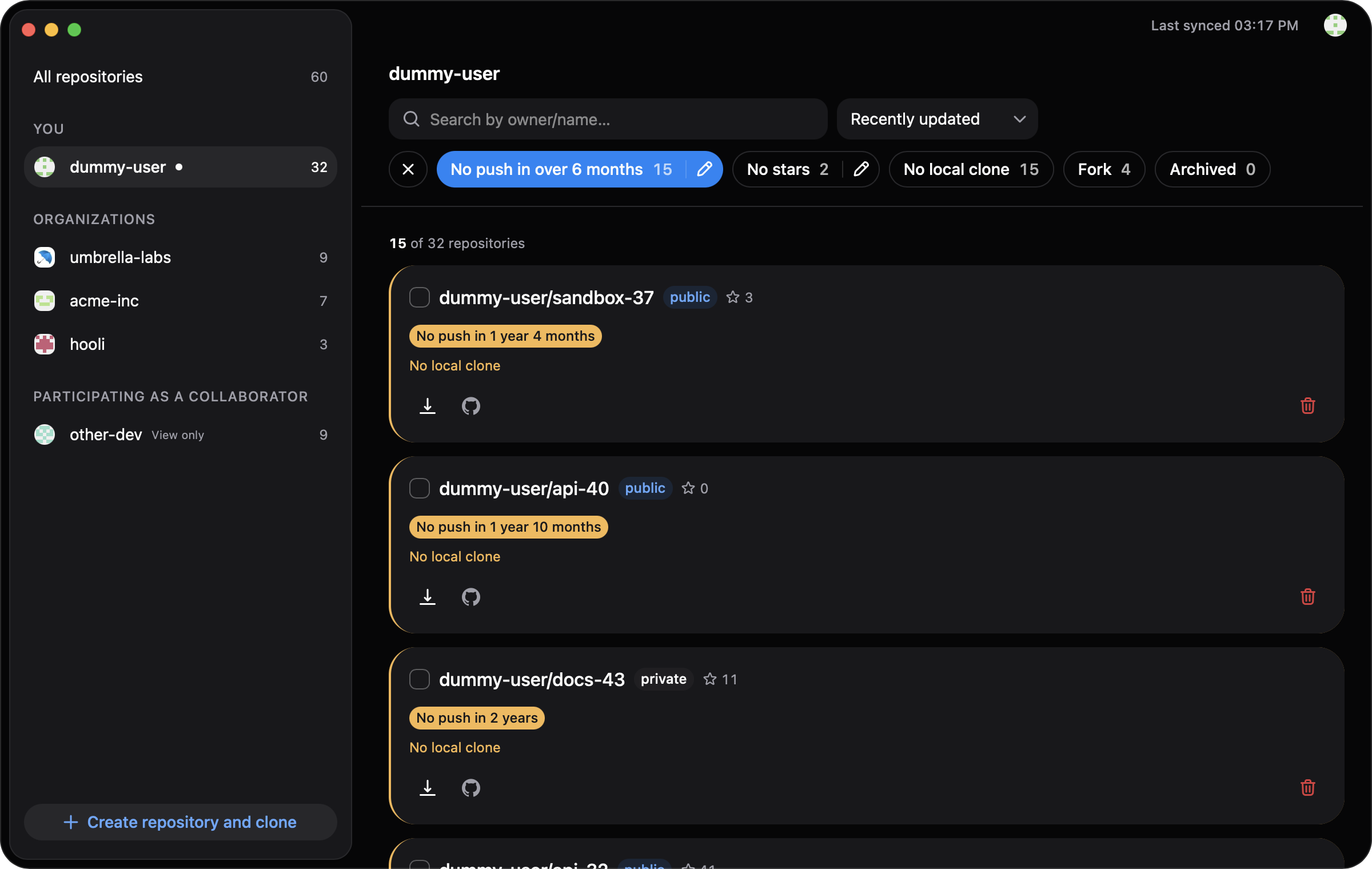
Stale repositories, too many stars, scattered clones. One macOS app tidies up GitHub and your disk alike.
brew install --cask lightsound/rererepo/rererepo
Stale, archived, forked. Candidates surface from GitHub-side facts, and you choose what to delete: the repository on GitHub, the clone on your disk, or both.
Spot starred repositories that went quiet or got archived, and unstar them right there.
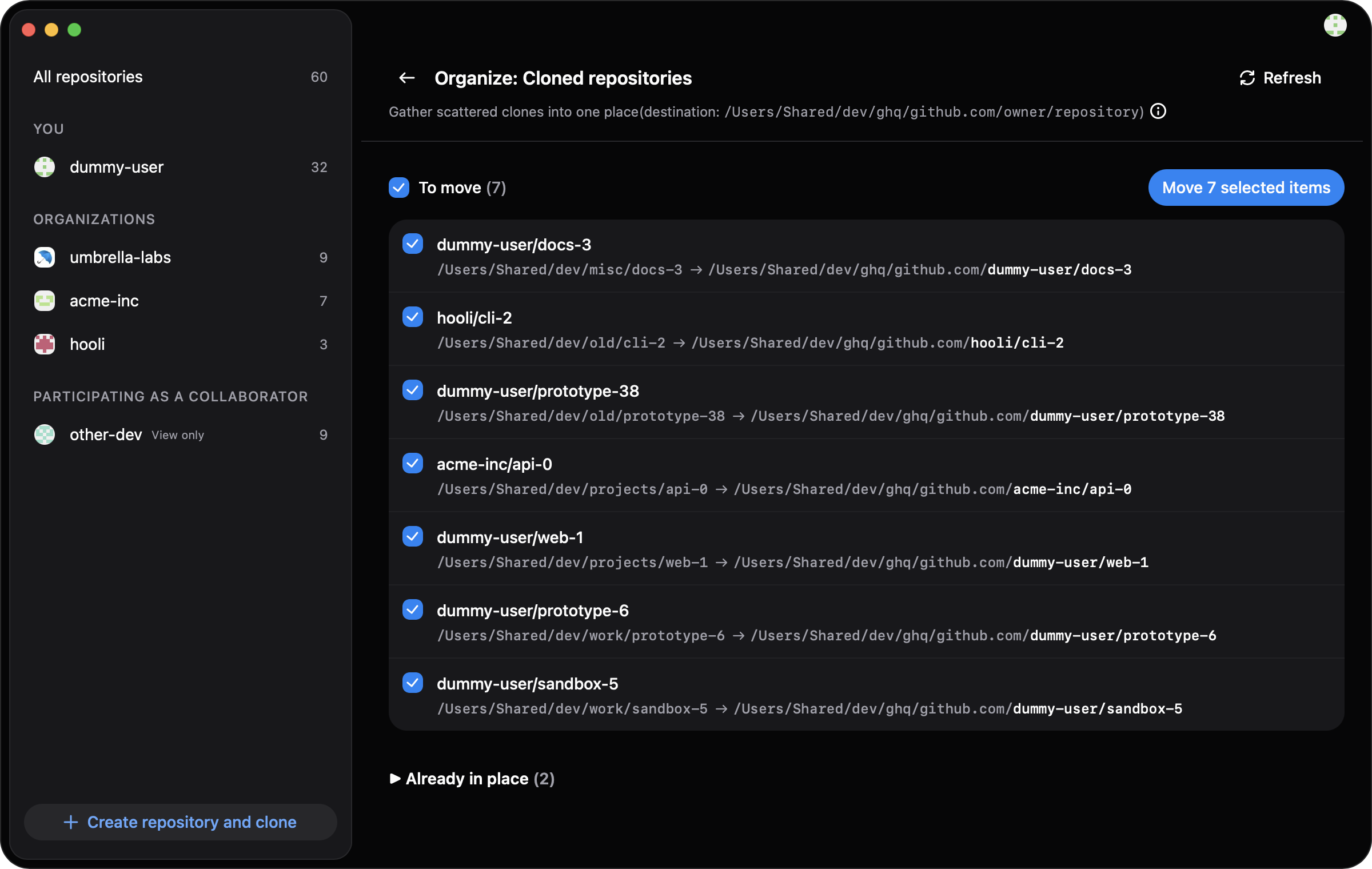
Move scattered local clones into github.com/owner/repository in one batch. See where each one goes before it moves, and undo if you change your mind.
Lives in the menu bar with a global shortcut. Type a name, jump to your editor, Finder or GitHub.
Create the repository on GitHub and clone it into the ghq layout. One step.
Signed with an Apple Developer ID and notarized. In-app updates are applied only after a double signature check.
No telemetry, no developer-operated server; your token lives only in the OS keychain. The only network traffic goes to GitHub and the update feed. See the Privacy Policy.
The DMG is 21.2 MB (v0.1.12, measured). No bundled browser engine: it runs on macOS's own WebKit and the Bun runtime.
No fees, no registration, no license key, no in-app purchases.
rererepo is provided AS IS, without warranty.
macOS 14 (Sonoma) or later, Apple Silicon only. Free.
brew install --cask lightsound/rererepo/rererepo
Open the DMG and drag rererepo.app into Applications. Updates arrive in the app (signature-verified).
GitHub Issues is the only channel (there is no email support).